



From Silicon to Software: How Computers Became the Engine of Modern Life
What a Computer Really Is
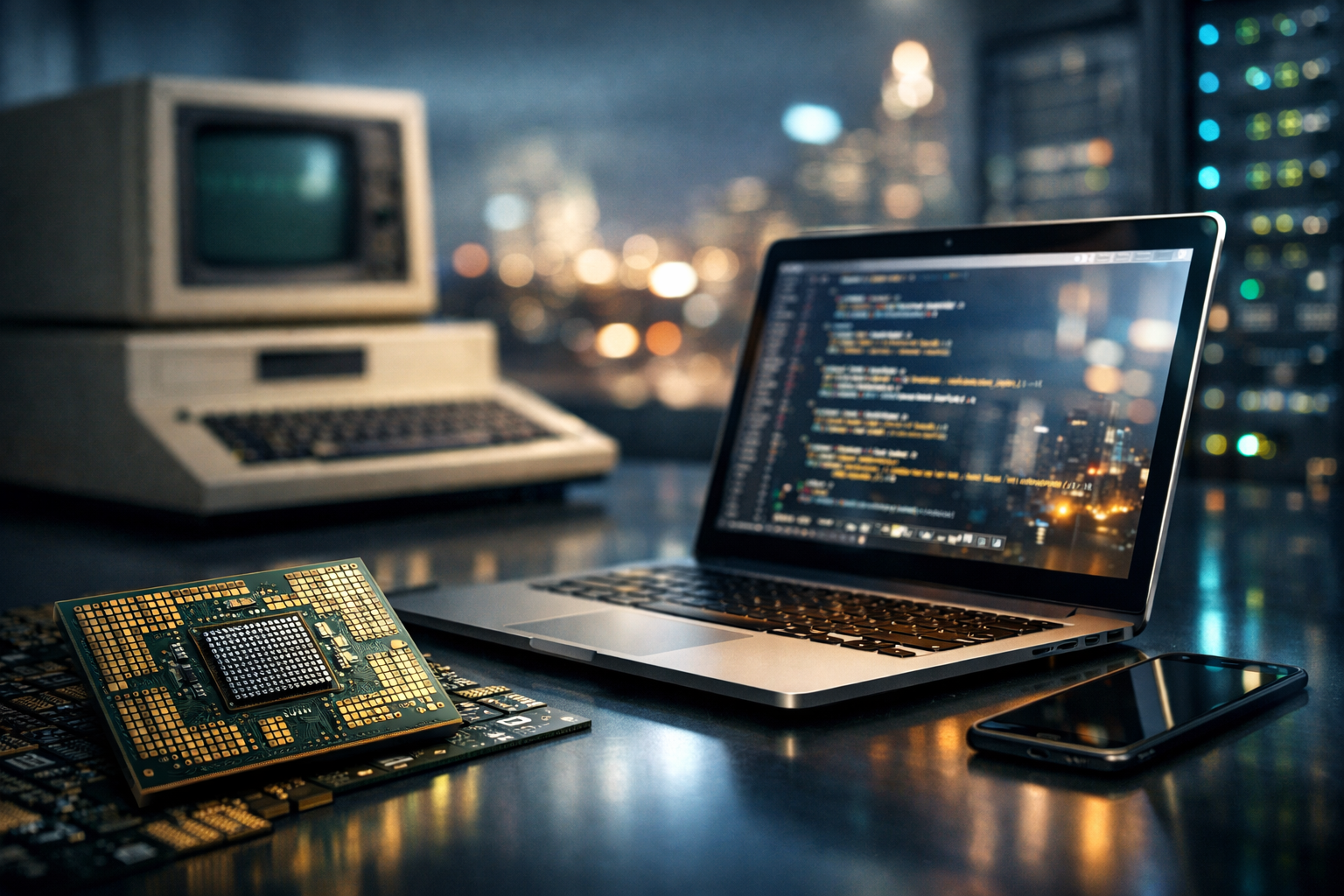
A computer is a programmable device that takes input, processes it according to instructions (software), stores data, and produces output. While the term once referred to room-sized machines built for scientific calculations, computers now exist in phones, cars, watches, factory robots, and cloud data centers. What makes all of these “computers” is not their size or shape, but their ability to execute instructions reliably, repeatably, and at high speed.
At the heart of every computer is a simple cycle: it fetches an instruction, decodes what that instruction means, and then executes it. This cycle repeats billions of times per second in modern processors, turning basic operations—like adding numbers or comparing values—into complex tasks such as editing video, navigating a city, or training machine-learning models.
Core Building Blocks of a Computer
Computers are systems: their capabilities come from multiple components working together. Although designs vary, most general-purpose computers share the same fundamental parts.
Central Processing Unit (CPU)
The CPU is often called the “brain” of the computer. It performs arithmetic, logic, and control operations. Modern CPUs contain multiple cores, allowing them to handle many tasks at once. They also rely on very fast memory called cache to keep frequently used data close to the processor, reducing delays.
Memory (RAM) and Storage
Random Access Memory (RAM) holds the data and programs a computer is actively using. It is fast, but temporary: its contents disappear when power is off. Storage, such as SSDs (solid-state drives) or HDDs (hard disk drives), keeps data long-term. SSDs are faster and more durable because they have no moving parts, while HDDs can offer lower cost per gigabyte for large archives.
Motherboard, Buses, and Chipsets
The motherboard connects the CPU, memory, storage, and peripherals. Data moves across pathways called buses, while chipsets and controllers manage communication among parts. Even with powerful components, poor connectivity or bottlenecks can limit overall performance.
Input and Output Devices
Input devices include keyboards, mice, touchscreens, microphones, cameras, and sensors. Output devices include displays, speakers, printers, and haptic feedback. Many modern devices blur the line—for example, a touchscreen is both input and output, and a VR headset combines display, sensors, and audio into one system.
Graphics Processing Unit (GPU)
GPUs were designed to render images and video efficiently, but their ability to perform many parallel operations also makes them valuable for scientific computing and artificial intelligence. Integrated GPUs share resources with the CPU, while discrete GPUs are separate cards with their own high-speed memory for demanding workloads.
Software: The Instructions That Make Hardware Useful
Hardware provides capability; software provides direction. Without software, a computer is an inert collection of circuits. Software exists in layers, each building on the services of the layer below.
Operating Systems
An operating system (OS) manages the computer’s resources: it schedules CPU time, allocates memory, controls storage access, and provides interfaces for applications. Common desktop operating systems include Windows, macOS, and Linux. Mobile systems like Android and iOS optimize the same ideas for battery life, sensors, and touch interaction.
Applications and Services
Applications—web browsers, games, design tools, database systems—translate user goals into computational tasks. Increasingly, applications depend on network services and APIs. A “local” action like opening a photo may trigger cloud backup, AI-assisted search, or synchronization across devices.
Programming and Abstraction
Programming languages allow humans to express instructions at varying levels of abstraction. Low-level languages and assembly map closely to CPU operations, while high-level languages prioritize readability and productivity. Compilers and interpreters bridge the gap, translating code into executable instructions.
Types of Computers You Encounter Every Day
Not all computers are built for the same job. Differences in size, power, and purpose define major categories.
- Personal computers (desktops and laptops): General-purpose systems for productivity, gaming, and content creation.
- Mobile devices: Smartphones and tablets optimized for portability, sensors, and energy efficiency.
- Servers: Computers designed to deliver services—web pages, file storage, authentication—reliably and continuously.
- Supercomputers: High-performance systems built for massive simulations and specialized research.
- Embedded systems: Purpose-built computers inside appliances, vehicles, medical devices, and industrial equipment.
- Single-board computers and microcontrollers: Affordable platforms for education, prototyping, and Internet of Things projects.
How Computers Communicate: Networks and the Internet
Modern computing is deeply networked. Devices communicate via Wi‑Fi, Ethernet, cellular networks, Bluetooth, and specialized industrial protocols. The internet is a “network of networks” using shared standards that allow data to travel between devices anywhere on the globe.
Many everyday experiences—streaming video, collaborative documents, online banking—depend on distributed computing. Data may be processed locally for speed and privacy, or in cloud data centers for scalability and centralized management. Increasingly, “edge computing” places processing closer to where data is generated (such as in factories or retail stores) to reduce latency and bandwidth usage.
Security, Privacy, and Reliability
Because computers store sensitive information and control critical systems, security is central to their design and use. Threats include malware, phishing, ransomware, and supply-chain attacks. Strong security combines multiple practices: keeping software updated, using encryption, applying least-privilege access, and maintaining backups.
Privacy is related but distinct. It focuses on appropriate data collection, consent, and transparency. Even a secure system can be invasive if it gathers more information than necessary. As computers become more embedded in daily life, the balance between convenience and privacy becomes a defining challenge.
What’s Next: Trends Shaping the Future of Computing
Computing continues to evolve along multiple dimensions—performance, efficiency, and new kinds of workloads.
- AI-accelerated hardware: Dedicated chips (NPUs/TPUs) and optimized GPUs speed up machine-learning tasks on devices and in data centers.
- Energy-efficient design: Better power management, advanced chip manufacturing, and specialized architectures reduce energy use while maintaining performance.
- New form factors: Foldable screens, wearables, AR/VR systems, and ambient computing push computers beyond the traditional keyboard-and-monitor model.
- Quantum computing (emerging): Promises breakthroughs for certain problems, though it remains specialized and difficult to scale.
- Stronger security foundations: Hardware-backed security, secure enclaves, and post-quantum cryptography aim to harden systems against evolving threats.
Why Computers Matter
Computers are not just tools for calculation; they are platforms for communication, creativity, automation, and discovery. They amplify human capability by storing knowledge, modeling complex systems, and enabling collaboration at global scale. Understanding their components and roles—hardware, software, networks, and security—helps you choose the right device, use it effectively, and navigate the digital world with confidence.
Listings related to article "From Silicon to Software: How Computers Became the Engine of Modern Life"
Top-Rated Computer and Mac Repair Services in Miami
Looking for reliable computer and Mac repair services in Miami? Our experienced technicians offer quick, professional solutions for all kinds of devices—including laptops, desktops, iMacs, MacBooks, and more. Whether you’re facing hardware failures, software glitches, system crashes, or need an upgrade, we’re here to help.
- Category
- Computers » Hardware » Support and Services
Hackaday
A community-driven platform showcasing creative and often unconventional projects related to electronics, hardware hacking, and DIY technology.
- Category
- Computers » Hardware » Do-It-Yourself

Buk Roofing – Chicago Roofing Company
With years of experience, our roofing company in Chicago boasts a strong reputation built on the professionalism and expertise of our dedicated team. We are committed to providing our clients with fair pricing and ensuring their specific needs are met.
- Category
- Business » Construction and Maintenance » Contractors
More articles like "From Silicon to Software: How Computers Became the Engine of Modern Life"
Inside the Machine: How Computers Turn Ideas into Action
Computers are versatile systems that process data, run software, and connect people and services worldwide. This article explains how they work, what they’re made of, and how to choose and use them wisely.
From Silicon to Society: How Computers Power the Modern World
Computers are programmable machines that process data to perform tasks ranging from simple calculations to complex simulations. This article explains how computers work, the major types, key components, and why they matter in everyday life.
From Silicon to Software: How Computers Became the World’s Universal Tool
What a Computer Really Is A computer is a programmable machine that accepts input, processes it according to instructions, stores information, and produces output. While that definition sounds simple, it covers everything from a smartwatch to a supercomputer. What makes computers distinct from most other machines is flexibility: the same device can write a novel, […]
